Spend less time on cleanup. Take on more clients.
Bookkeep AI is an AI assistant for bookkeepers. It pre-sorts transactions, flags what needs your review, and drafts month-end reports. Nothing posts without your approval.
No card required · Cancel anytime
An animated walkthrough of the workflow, shown on sample data.
How it works
- 1
Import
Connect bank feeds via Plaid, or upload QuickBooks CSV/Excel exports.
- 2
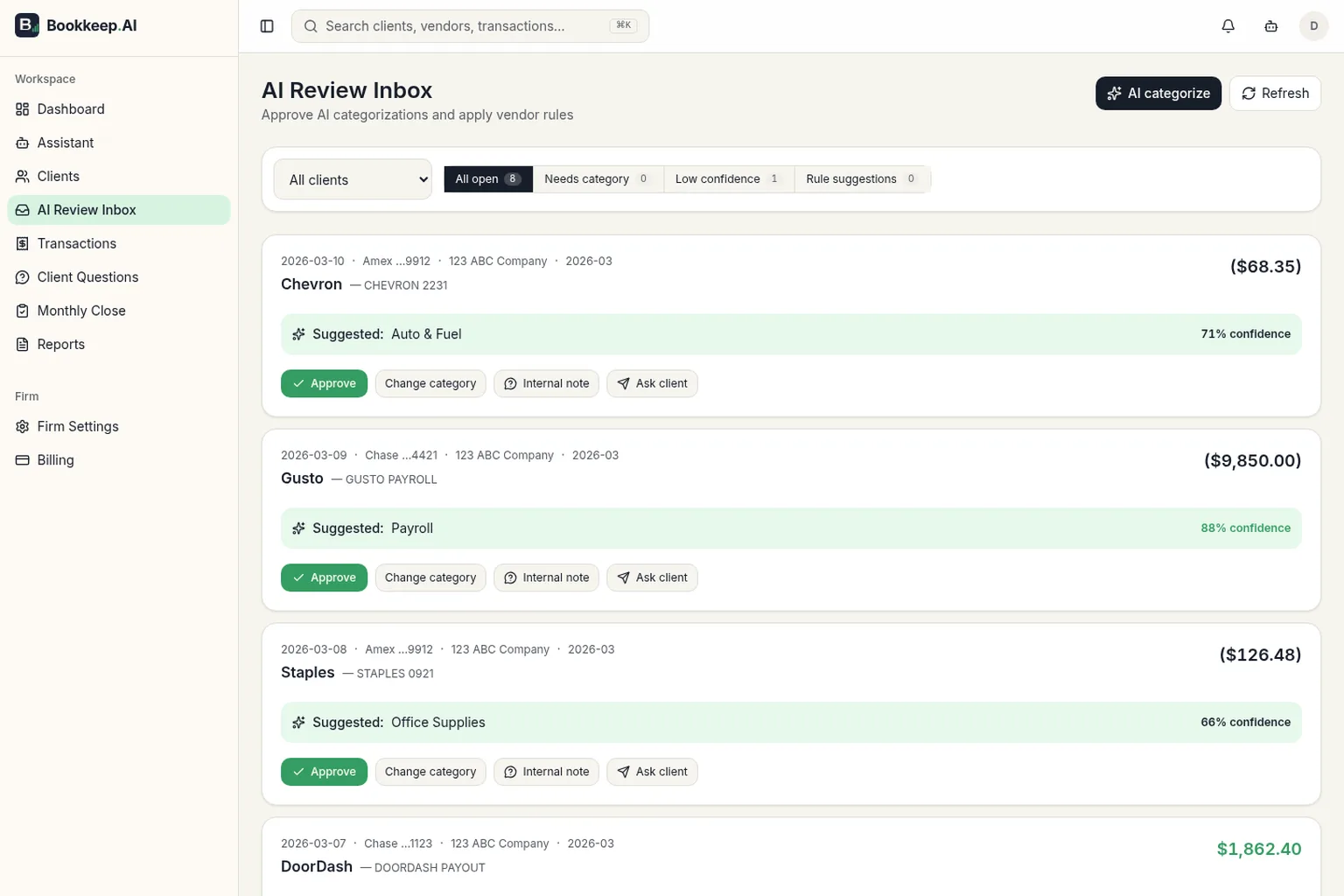
AI pre-sorts
Suggests categories and flags anomalies with a confidence score.
Ask Ledger, the built-in AI agent, questions about your clients' books. Any change it proposes waits for your approval. Meet Ledger
- 3
You review and report
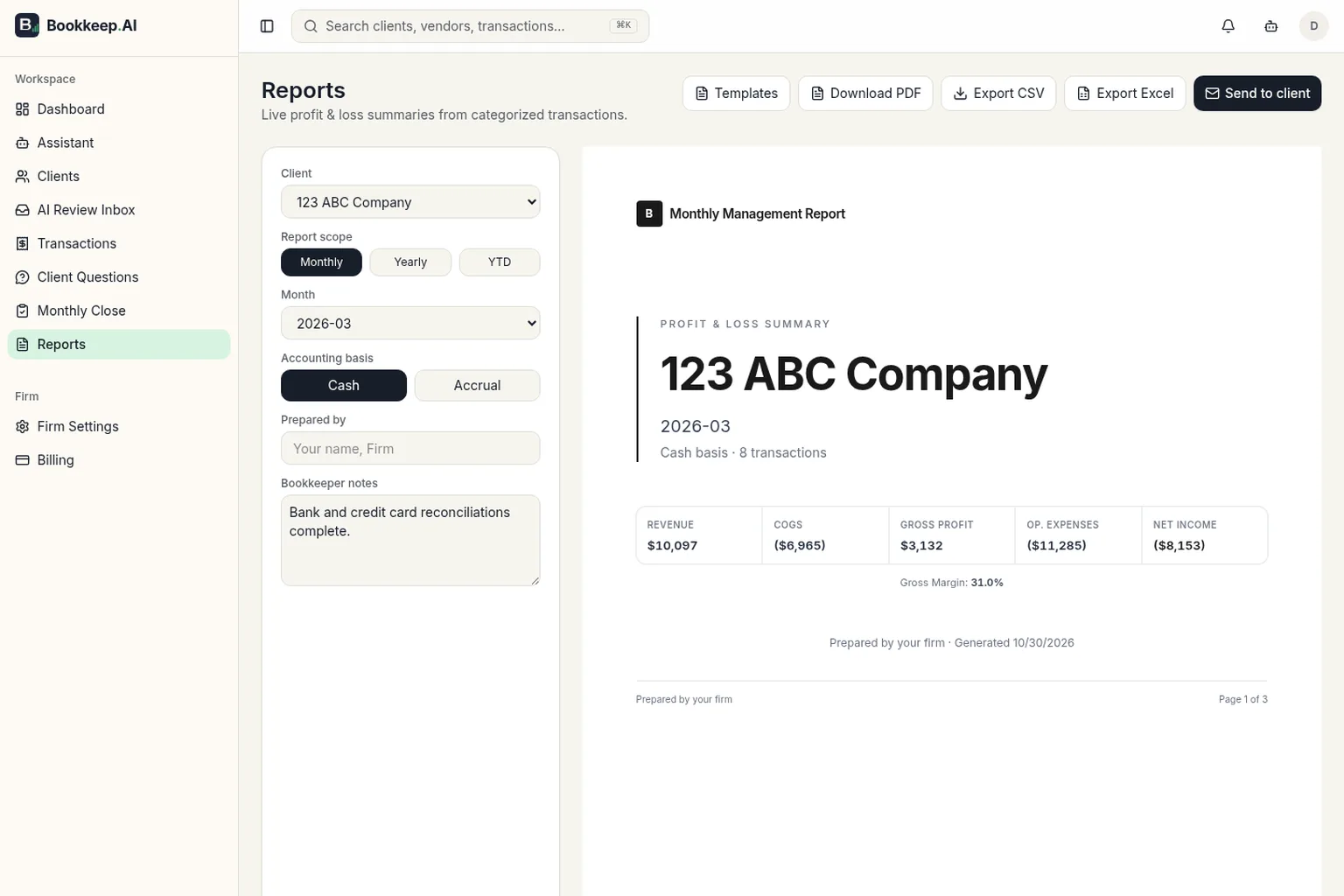
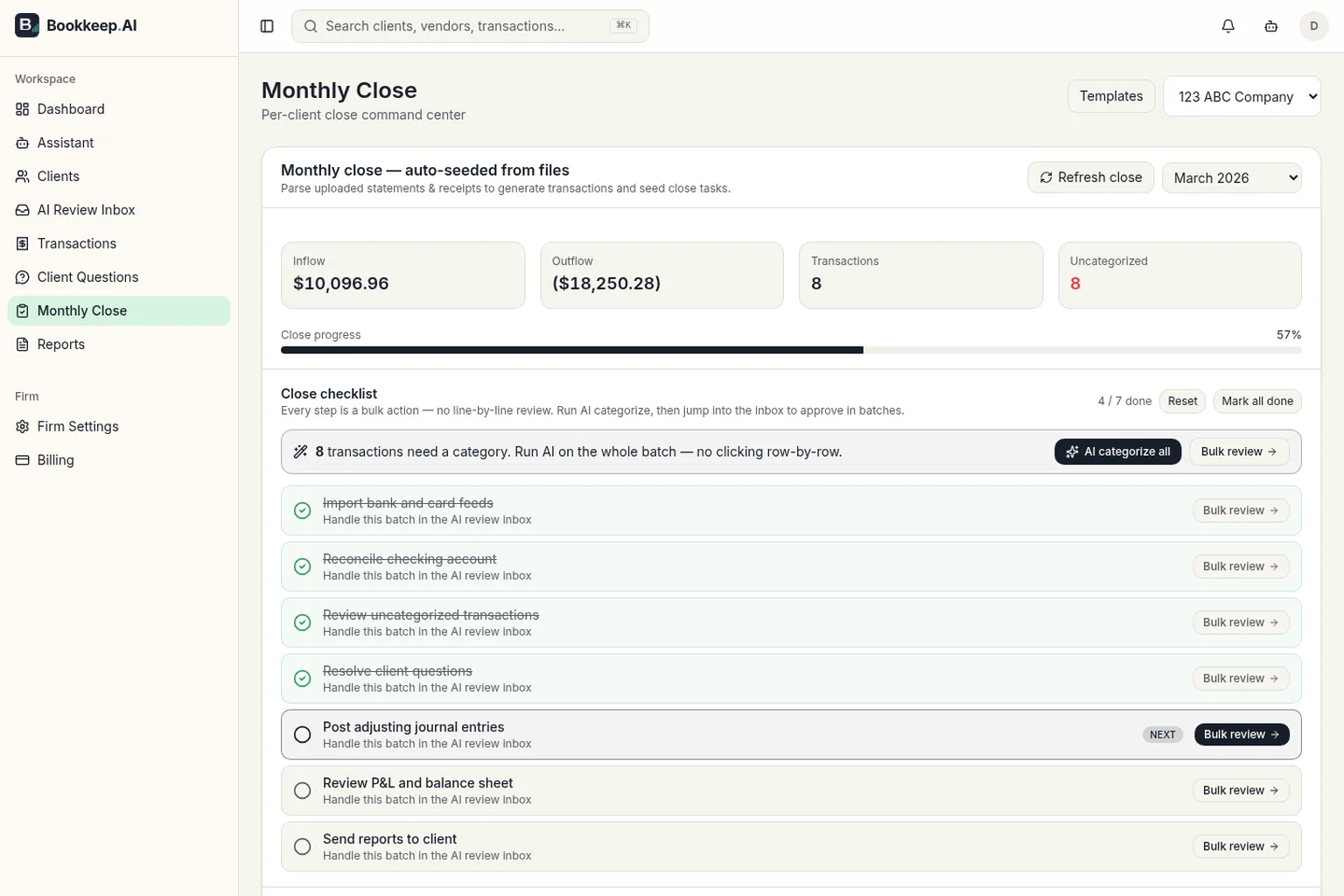
Approve in one queue, then send a branded P&L and balance sheet.
You stay in control.
Review queue
AI suggestions wait for your approval. Ledger can't make a change until you approve it.
Audit trail
Changes are logged with who made them and when, in each client's activity view.
Client-scoped data
Your firm's data is only visible to your account. In a client's thread, Ledger works on that client only.
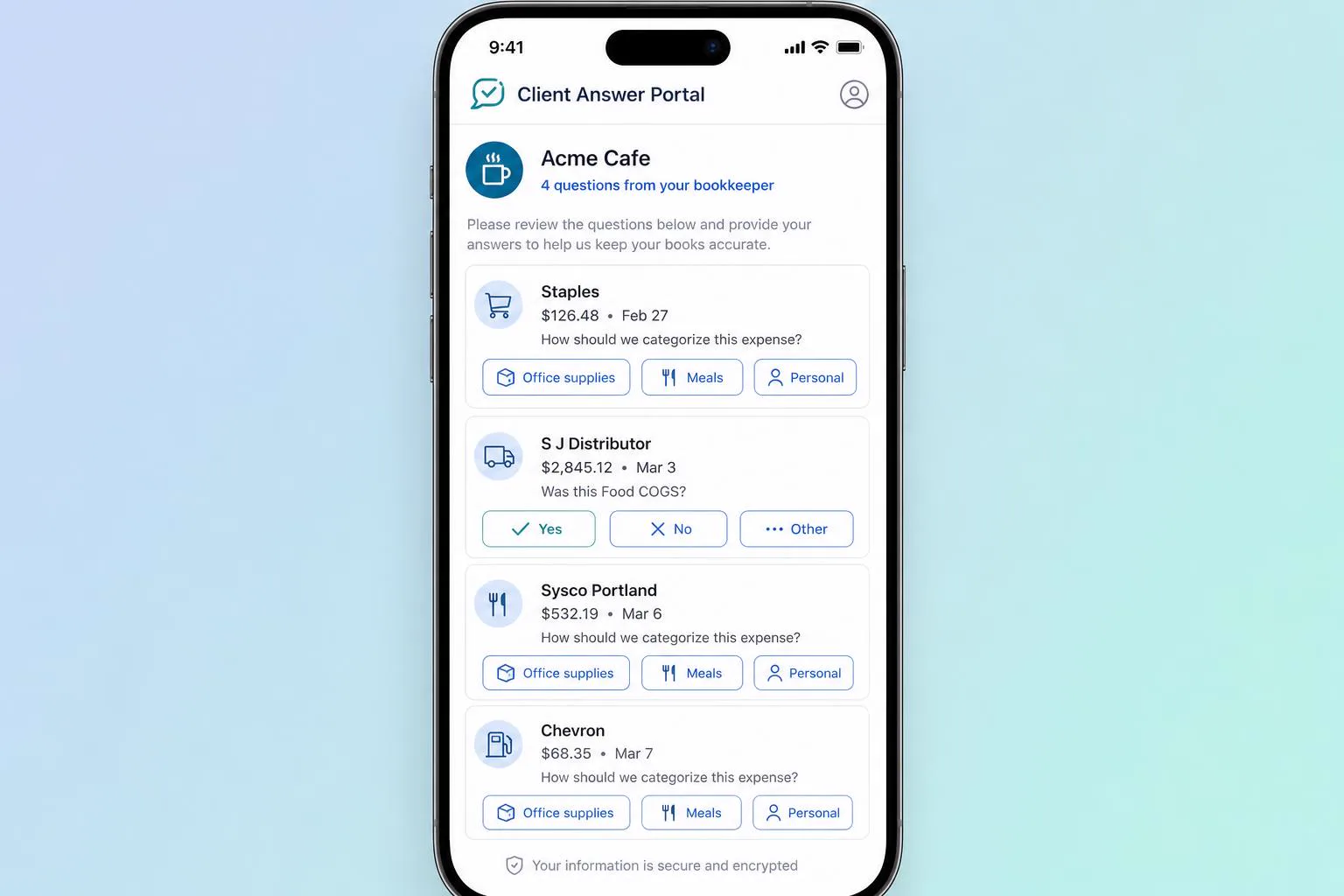
Inside the app
Simple pricing
Questions
Will AI replace me?
No. Bookkeep AI is an assistant: it suggests categories and flags items, and you approve every change. Your judgment and client relationships stay at the center.
Is my clients' data secure?
Bank connections go through Plaid, bank access tokens stay on our servers, and each firm can only see its own data. Read how we protect it.
Can I migrate from QuickBooks?
Yes. Upload CSV or Excel exports from QuickBooks Online or Desktop and review the column mapping before anything is imported. There's no direct QuickBooks connection.
What happens after my free trial?
You move to the Free plan for 1 client and 1 bank or card connection. Your data stays. Choose Solo ($49/month), Growth Firm ($149/month), or Pro Firm ($399/month) when you need more clients.
How do I cancel?
Cancel any time from the Billing page. Your plan stays active until the end of the billing period, then moves to Free.